How to Use Basescan: The Base Chain Block Explorer, Explained with Real Transactions
What Basescan actually is
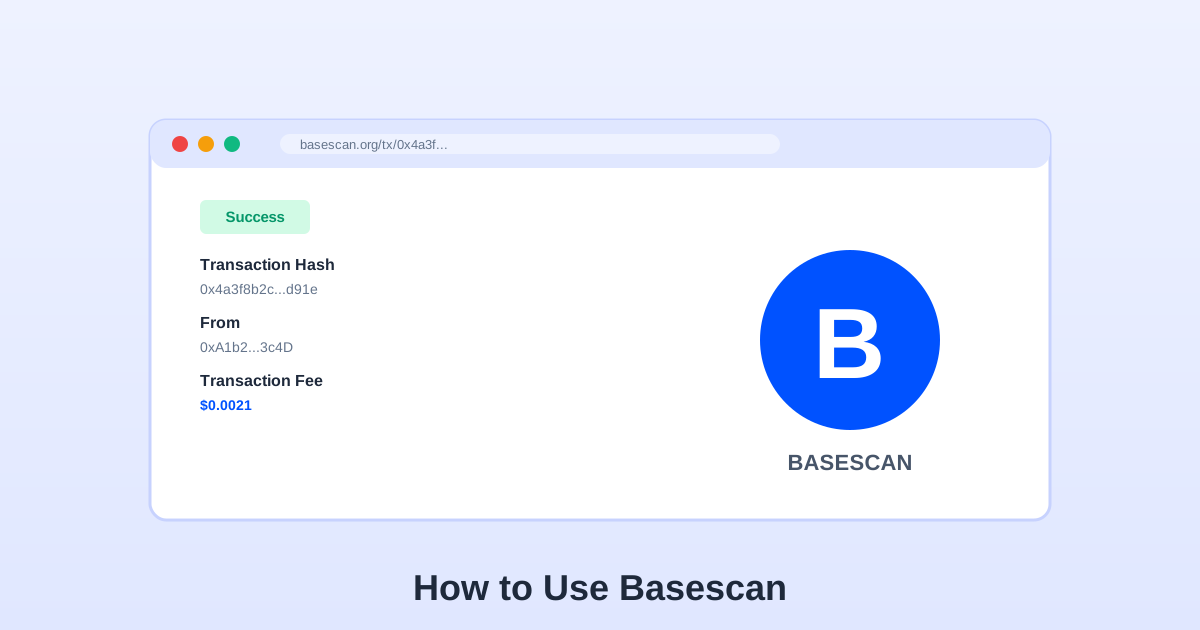
Basescan is a block explorer for the Base network — essentially Etherscan cloned for Base. Every transaction, every contract, every token transfer on Base is visible there in real time, and the data is the ground truth when your wallet is confusing you. It is run by the same team that operates Etherscan, the interface is nearly identical, and if you already know how to use Etherscan you can skip most of this guide.
Why you need it: wallets lie. Not maliciously — they lag. Your wallet shows "pending" long after the transaction confirmed on chain. It shows a balance that is stale by a minute. It shows a swap as "failed" when it actually succeeded but the UI did not refresh. Basescan is the thing that tells you what actually happened. I probably open it ten times a day, and most of those visits are thirty-second confirmations that a send landed or a gas refund came through.
The five things you look up most
Almost every Basescan visit is one of these:
- Is my transaction confirmed? Paste the hash, check the Status field. Success means it landed; Reverted means it failed but you still paid gas.
- Did the recipient get the money? On the transaction page, scroll to Logs. Look for a Transfer event with your recipient's address in the "to" field. That is the receipt.
- What gas did I actually pay? The Transaction Fee field on the hash page shows the real cost. The wallet's pre-sign estimate is sometimes off by 30%+ during volatile moments.
- Is this token a scam? Search the token contract address (not the ticker). Check the holder count, total supply, and whether the contract has a mint function the owner can call at will.
- Why did my swap revert? Click "Click to Show More" under Input Data, then check the Logs for a Revert reason. Common ones: slippage too low, insufficient allowance, or the pool ran out of liquidity.
Reading a transaction page: the fields that matter
When you open a transaction hash on Basescan, the page has a lot of fields. Here are the ones I actually read and the ones I ignore:
| Field | What it tells you | When to care |
|---|---|---|
| Status | Success or Reverted | Always. This is the single most important field. |
| Block | Which block included the transaction | Rarely. Useful only if you are timing a sequence of transactions. |
| From / To | Sender and recipient (or contract) | Always. Confirm the To address matches where you intended to send. |
| Value | ETH amount transferred | For raw ETH sends. Token transfers show Value as 0 — the actual movement is in the Logs. |
| Transaction Fee | Actual gas cost paid | Always. Compare against the wallet's estimate to calibrate your trust. |
| Gas Price | Gwei paid per gas unit | When debugging why a transaction was expensive. |
| Input Data | Raw calldata sent to the contract | When a swap or contract interaction reverted — decode it to see the function and parameters. |
The Logs section below the input data is where token transfers actually show up. A successful Uniswap swap on Base has zero ETH Value but two or three Transfer events in the Logs — one for the token you sold, one for the token you received, sometimes one for the pool fee. If you want proof a send landed for someone, the Transfer log with their address is that proof.
Spotting scam tokens before you touch them
Base's consumer boom made it a favorite for token scammers, and Basescan is the fastest way to check before you interact. Search the token's contract address (not the ticker — tickers are trivially spoofed). On the token page, check three things:
- Holder count: A legitimate token has hundreds or thousands of holders. A scam token often has under 20, with most supply concentrated in one or two addresses.
- Contract code tab: Click "Contract" and look at the source. If it is not verified (no green checkmark), treat it as hostile. If it is verified, search the code for functions like
mint,pause, orblacklist— these let the owner create new tokens, freeze transfers, or block specific addresses. - Token tracker: The "Token Tracker" section on any address page shows every token that address holds. If someone sends you a random token you never asked for, look it up here before clicking anything in a swap UI.
The general rule: unsolicited tokens in your wallet are bait. Nobody airdrops valuable tokens to random addresses out of generosity. If a token requires you to "claim" it by visiting a website and approving a contract, that contract will drain your wallet. The ERC-20 approval guide explains why the approval step is where the theft happens, and the failed transaction guide shows how to read the revert reason when a scam swap is designed to fail.
The API: when you need more than the web page
Basescan has a free API that returns the same data as the website in JSON. The two endpoints I use most: module=account&action=balance (returns the ETH balance of any address) and module=account&action=tokentx (returns the last N token transfers for an address). Both are rate-limited to 5 calls/second on the free tier, which is plenty for personal use.
You do not need an API key for low-frequency lookups. For anything more — building a dashboard, tracking a portfolio, automated alerts — get a free API key from the Basescan website (sign up, create a key, paste it as &apikey=YOUR_KEY in the URL). The key lifts the rate limit and adds access to some premium endpoints.
If you are building something on Base and need gas data programmatically, the gwei explainer covers the RPC calls for live gas price, and the live tracker on this site already does the polling and presentation for human eyes.
Basescan vs Arbiscan vs Etherscan
Three explorers, same software family, different chains. Etherscan covers Ethereum mainnet; Basescan covers Base; Arbiscan covers Arbitrum One. The interfaces are nearly identical, so once you learn one, you know all three. The chain ID is the fastest tell — Base is 8453, Arbitrum is 42161, mainnet is 1. If you are ever unsure which explorer to use for a transaction, check which network your wallet was on when you sent it.
One practical note: a transaction hash is unique per chain, but searching a Base hash on Arbiscan (or vice versa) returns "not found" rather than an error. That is not a bug — it just means the hash does not exist on that chain. Switch to the correct explorer. For transactions that bridge between chains, the source chain's explorer shows the exit and the destination chain's explorer shows the arrival; the two halves are separate transactions with separate hashes.
Trade on Base / Arbitrum with Low Fees
Choose a trusted platform to swap, bridge, and trade on L2 networks.
Affiliate links — we may earn a commission at no extra cost to you.